💬 3D Vibe Coding — Build 3D Worlds Through Dialogue
Build and edit sim-ready 3D worlds through natural-language dialogue. EmbodiedGen ships a set of reusable agent skills and a Claude Code plugin whose slash commands wrap them — each instruction is a bounded, physics-validated skill call that preserves a deployable, simulator-ready world state.
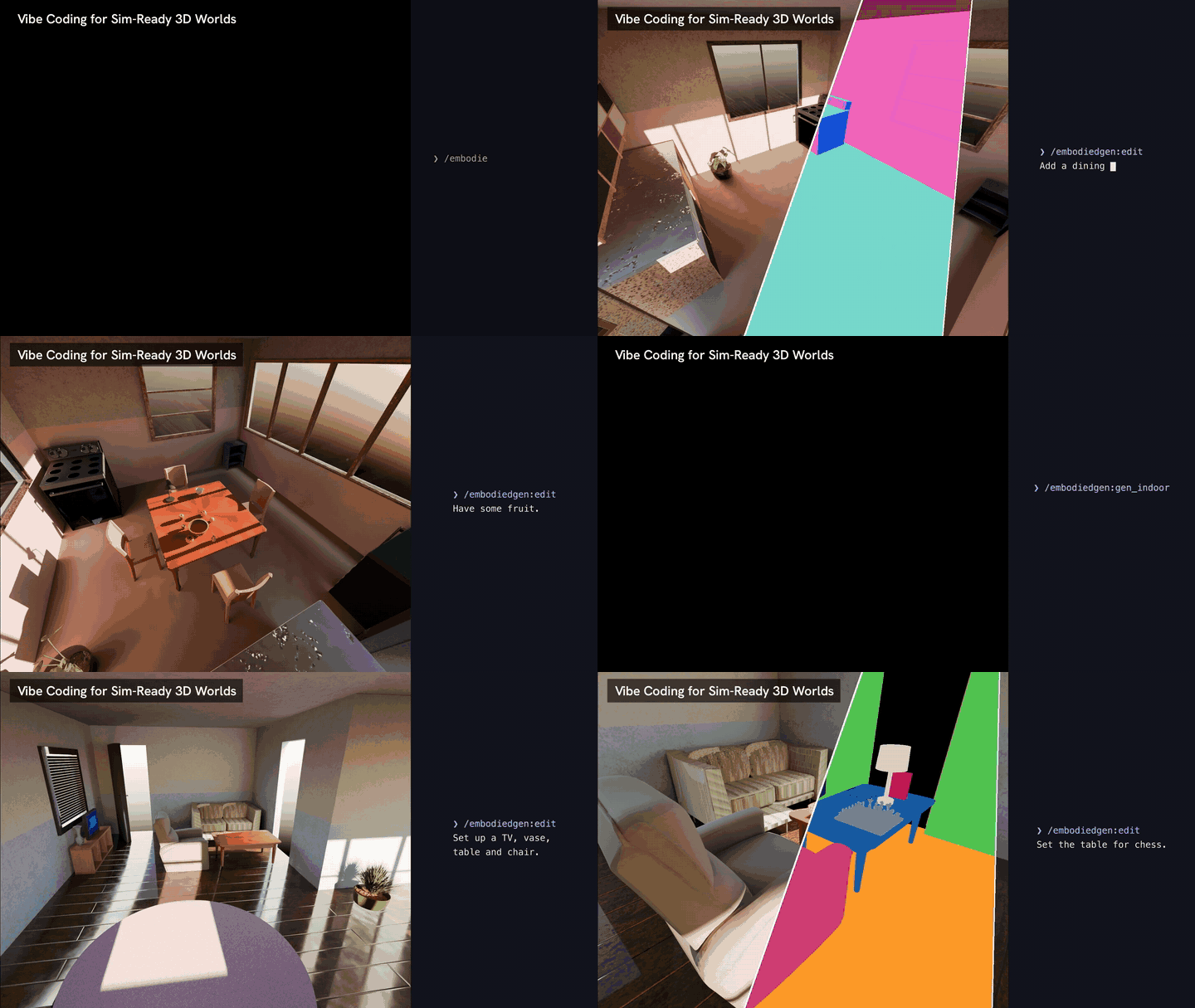
🔌 Install the Claude Code Plugin
bash install/install_agent_plugin.sh
This registers the local marketplace embodiedgen-local and installs the embodiedgen plugin into Claude Code. The plugin package lives in embodied_gen/skills/claude_plugin/plugins/embodiedgen/.
🧰 Available Commands
| Command | What it does |
|---|---|
/embodiedgen:gen_assets |
Generate 3D assets from images or text (img3d-cli, text3d-cli, texture-cli) |
/embodiedgen:gen_indoor |
Generate rooms or multi-room houses (Room Generation) |
/embodiedgen:gen_bg |
Generate 3DGS background scenes (scene3d-cli) |
/embodiedgen:gen_layout |
Compose task-driven interactive worlds (layout-cli) |
/embodiedgen:vibe3d |
Insert / remove / place objects in a scene via natural language (spatial computing) |
/embodiedgen:sim |
Render layouts in SAPIEN simulation (sim-cli) |
/embodiedgen:convert |
Export assets to USD / MJCF / URDF (Any Simulators) |
/embodiedgen:process |
Scale or rotate existing URDF-based assets |
Example session:
> /embodiedgen:gen_indoor Create a simple kitchen, seed 42
> /embodiedgen:vibe3d Put a lamp on the bookshelf in the living room
> /embodiedgen:sim Render outputs/layouts_gen/task_0000/layout.json
🧠 Skill Sources
The slash commands are thin adapters over generic, runtime-agnostic skills under embodied_gen/skills/:
asset-creator,asset-retrieval,asset-converter,asset-processbackground-creator,room-creator,layout-creator,sim-runnerspatial-computing— floorplan visualization and collision-aware object placement/deletion with semantic instance matching (e.g. "put lamp on bookshelf", "delete sofa in living room"). Seeembodied_gen/skills/spatial-computing/SKILL.mdfor details.
USD updates require Blender Python
Scene edits that update USD files must run under room-cli (Blender Python provides bpy); the skills prompt the agent to choose the correct invocation automatically.
Next Steps
- Load the edited world into simulation — see Robot Learning.
- Export to your simulator of choice — see Any Simulators.