🕹️ Affordance — Semantic Parts & Grasps
Generate part-level affordance annotations for a simulator-ready URDF asset.
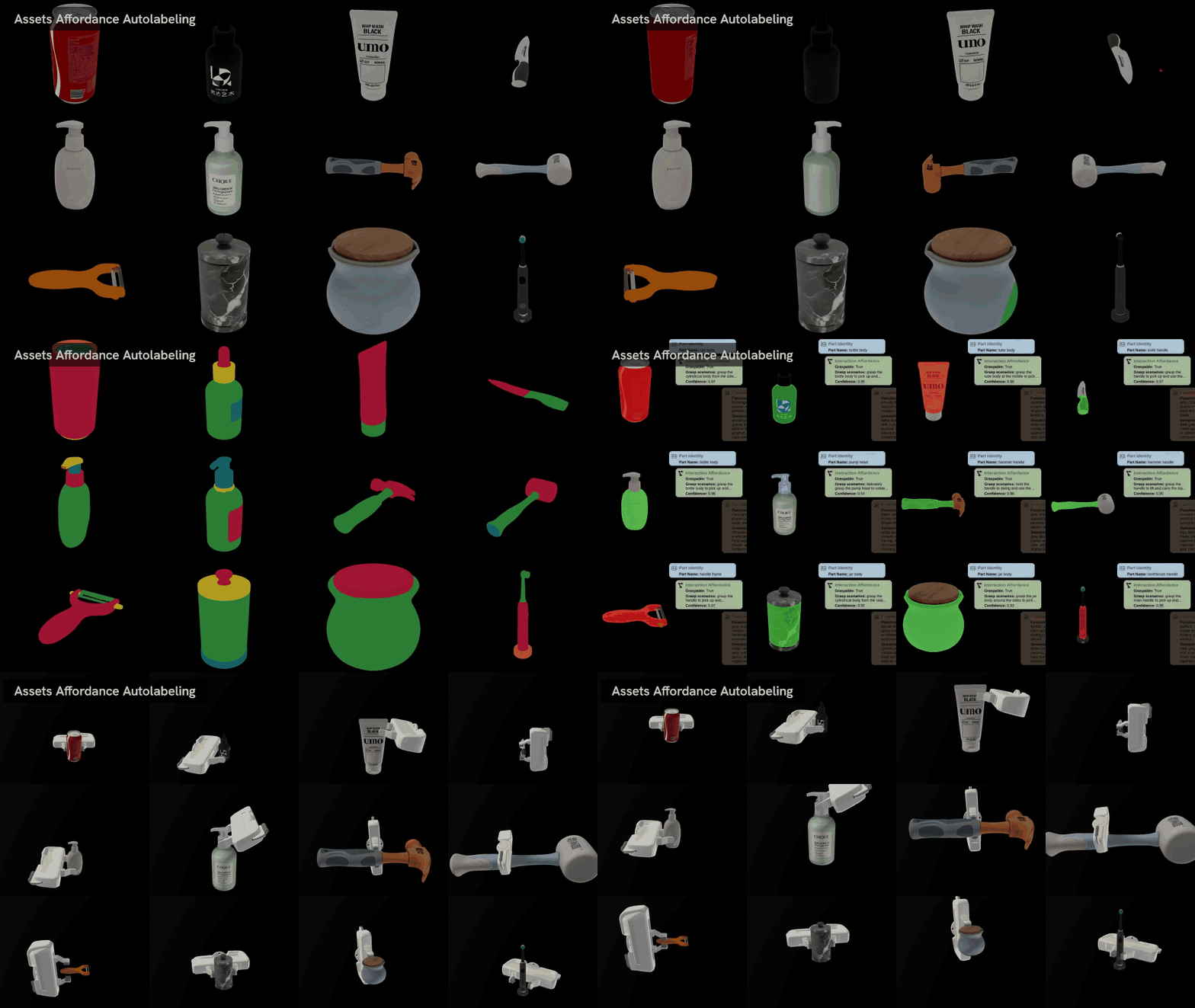
The pipeline labels three kinds of information: functional part segmentation, part-wise semantic affordances, and simulation-validated grasp poses. Starting from a URDF with visual and collision meshes, it assigns mesh faces to functional parts, annotates each part with interaction semantics, generates 6-DoF grasp candidates, and filters grasps with physics simulation.
⚡ Command-Line Usage
Install the optional affordance dependencies before running the pipeline:
bash install.sh affordance
The semantic annotation stage uses the project's GPT Agent. Configure embodied_gen/utils/gpt_config.yaml or export the corresponding environment variables described in the installation guide before running the full pipeline.
Run the demo asset:
affordance-cli \
  --urdf-paths apps/assets/example_affordance/ear_hear/sample.urdf \
  --output-dirs outputs/affordance_annotation/ear_hear
The input test case is:
apps/assets/example_affordance/ear_hear
├── mesh
│   ├── material.mtl
│   ├── material_0.png
│   ├── sample.obj
│   └── sample_collision.obj
└── sample.urdf
sample.urdfprovides the simulator-ready asset wrapper, object category, visual mesh, collision mesh, and physical parameters.mesh/sample.objis used for visual rendering and part segmentation.mesh/sample_collision.objis used for grasp generation and physical validation.
You can omit --output-dirs; by default, outputs are written to affordance/ next to each input URDF.
Pipeline Stages
The pipeline has three stages:
-
Functional part segmentation
Segment the visual mesh into functional part regions.
-
Part-wise semantic annotation
Annotate each part with semantic name, graspability, scenarios, functions, and appearance.
-
Grasp generation and physical validation
Generate 6-DoF grasps and keep simulation-validated candidates.
Stages are dependent: semantics require segmentation, grasp generation requires semantics, and grasp evaluation requires generated grasps.
Demo Output
Running the demo command above produced:
outputs/affordance_annotation/ear_hear
├── affordance_annot.json
└── mesh_part_seg.glb
The run also updates the input URDF in place with custom_data entries that point to the generated segmentation mesh and affordance JSON.
mesh_part_seg.glb→ colored part-segmentation mesh for visualization; it also stores per-faceface_idsin metadata, readable viaembodied_gen.utils.io_utils.load_mesh.affordance_annot.json→ part-level affordance schema with semantic labels and simulation-filtered grasps.
An affordance_annot.json entry has this structure:
{
  "part_name": "headband",
  "mask_color": "Red",
  "graspable": true,
  "grasp_scenarios": [
    {
      "scenario": "grasp the top of the headband to pick up the headphones",
      "confidence": 0.94
    }
  ],
  "functional_labels": [
    "bridge the two earcups",
    "rest on the top of the head",
    "support wearing",
    "provide a primary carrying point"
  ],
  "semantic_description": "Curved over-head band spanning the top of the headphones...",
  "id": 0,
  "grasp_group": {
    "grasp_0": {
      "confidence": 0.9834713339805603,
      "position": [0.09800969052594155, 0.0028345893369987607, 0.08563571982085705],
      "orientation": {
        "w": 0.6647695595179328,
        "xyz": [-0.08831381837710446, -0.7409686920659632, 0.035319960363011355]
      }
    }
  }
}
Useful Options
--urdf-paths→ one or more input URDF files.--output-dirs→ output directory for each URDF. The number of output directories must match the number of URDFs.--no-run-part-seg→ skip functional part segmentation whenmesh_part_seg.glbalready exists and the URDF points to it.--no-run-partsemantics-annot→ skip semantic annotation whenaffordance_annot.jsonalready contains part records.--no-run-grasp→ skip grasp generation when the JSON already containsgrasp_groupentries.--no-run-grasp-eval→ skip SAPIEN grasp validation and keep generated grasp proposals unfiltered.
Getting Started
- Use
apps/assets/example_affordance/ear_hear/sample.urdfas the first smoke test. - Use generated URDFs from Image-to-3D or Text-to-3D as inputs for new assets.